One file per folder
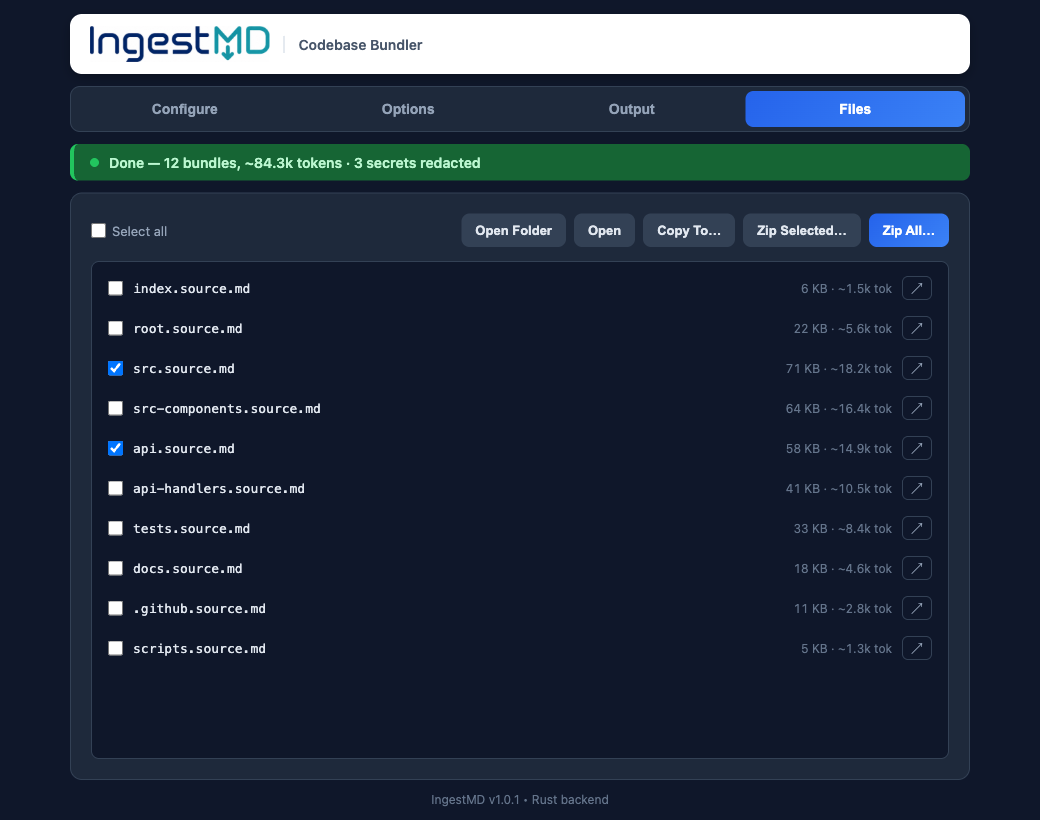
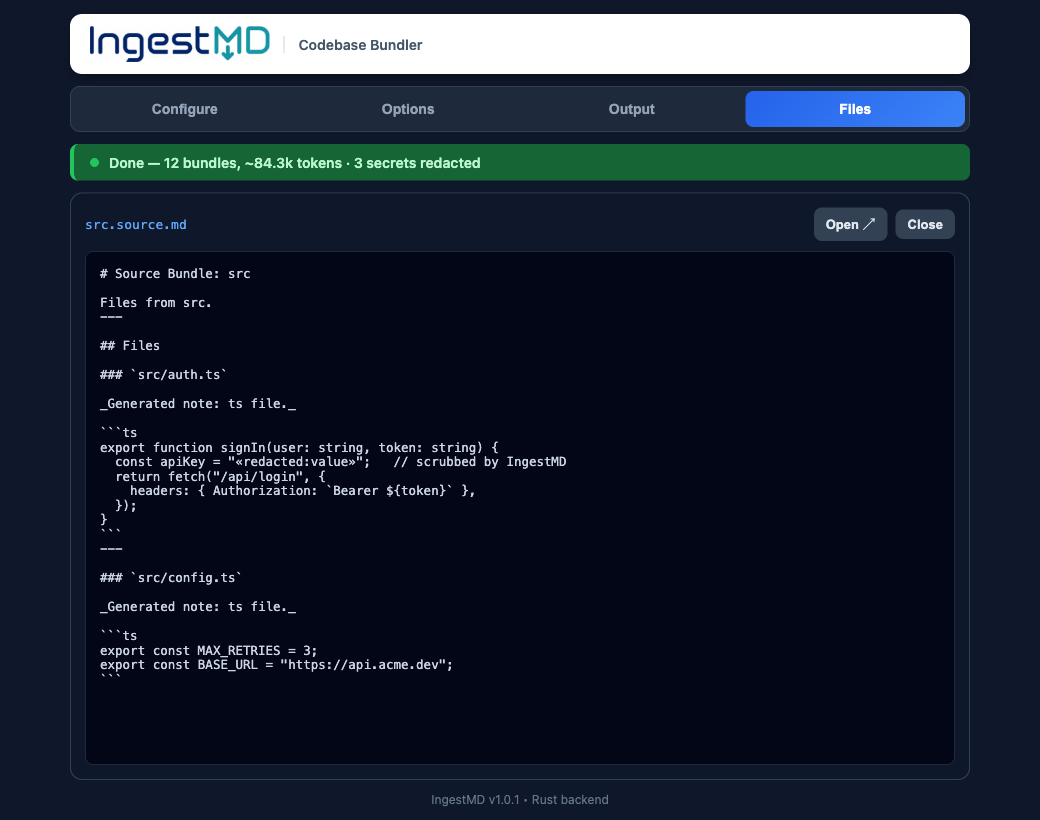
Every source file embedded verbatim in fenced code blocks. Large subtrees split into parts. No more dragging files in one by one.
 IngestMD
Point IngestMD at a folder and get tidy Markdown bundles for NotebookLM, ChatGPT, and Claude. One file per folder. Secrets redacted. Junk skipped. Token counts shown.
The annoying part
Feeding a project to an AI tool means flattening the tree, skipping binaries and dependencies, watching for leaked keys, and staying under a token budget. IngestMD does all of that in one click, so a whole folder becomes a handful of clean files you can drop straight in.
What it does
Every source file embedded verbatim in fenced code blocks. Large subtrees split into parts. No more dragging files in one by one.
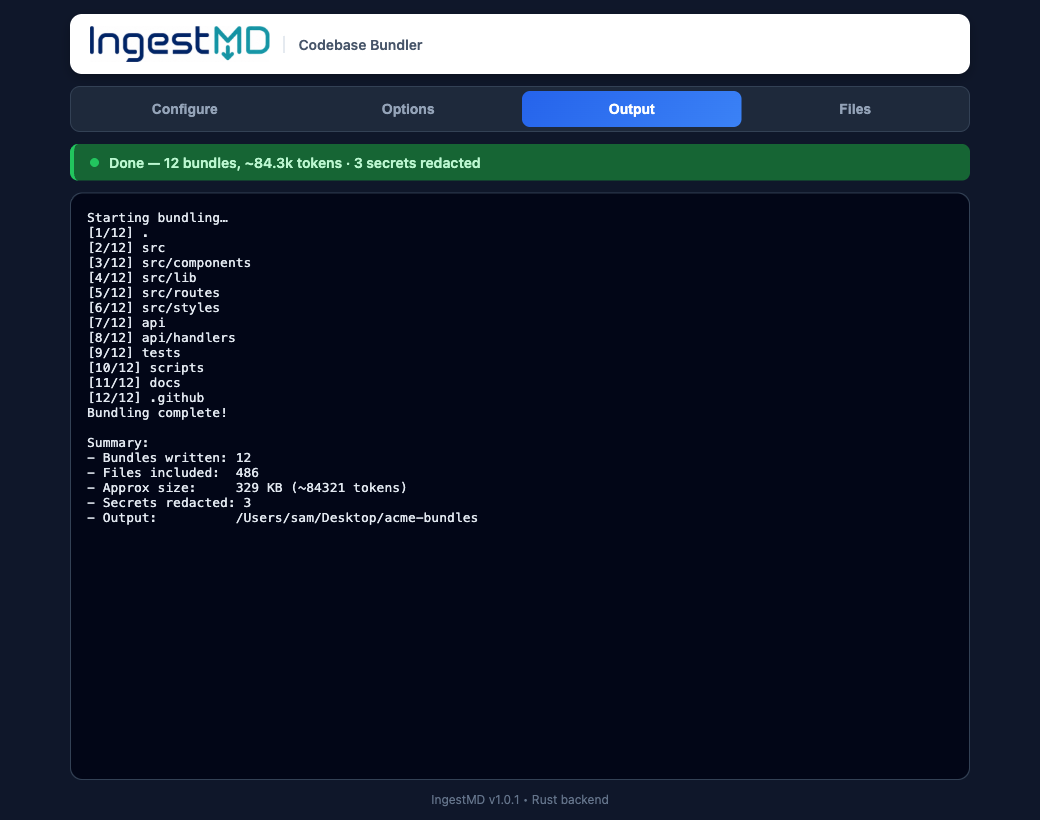
API keys, tokens, and private keys are scrubbed before anything is written, so you never paste a credential into a chat.
Binaries, node_modules, build output, and anything in your .gitignore stay out. Add your own exclude patterns too.
Every bundle shows an approximate token count, so you know the context cost before you load it into a model.
No uploads, no account, no telemetry, no API key. Everything runs on your machine, offline.
Expose any local repo to MCP-capable AI clients as live context, with the same scanning and redaction as the app.
A real desktop app
How it works
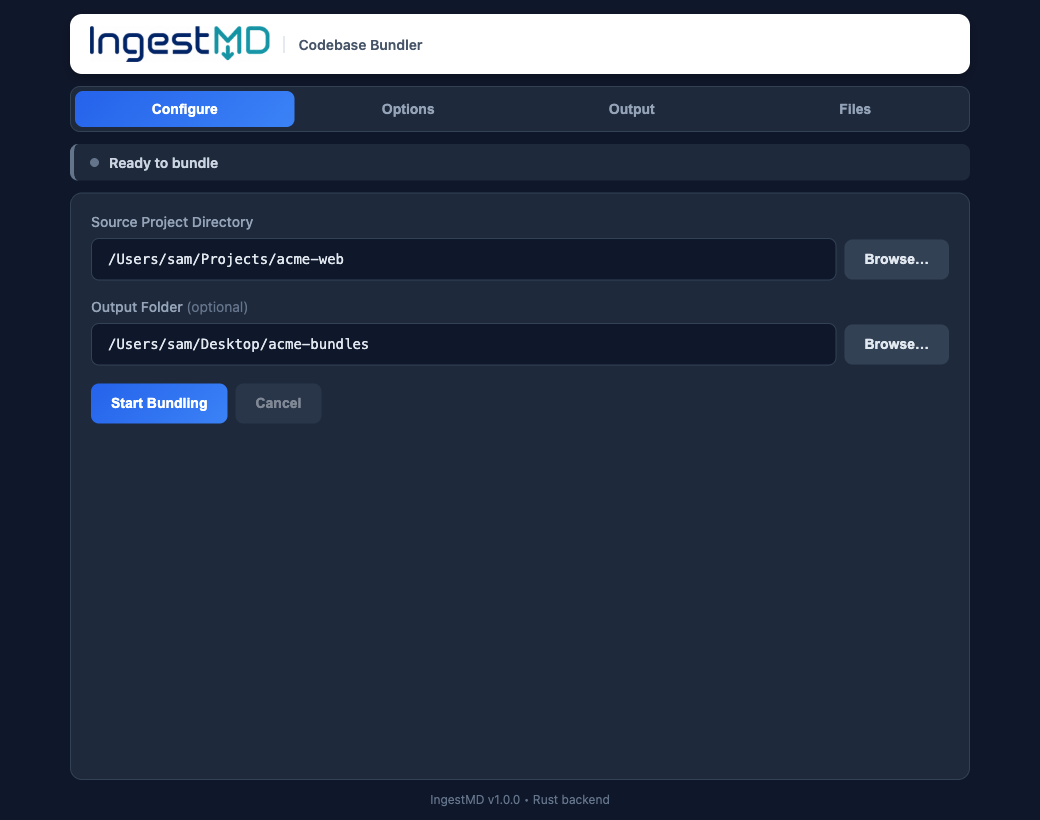
Choose a source project, and optionally a separate output folder.
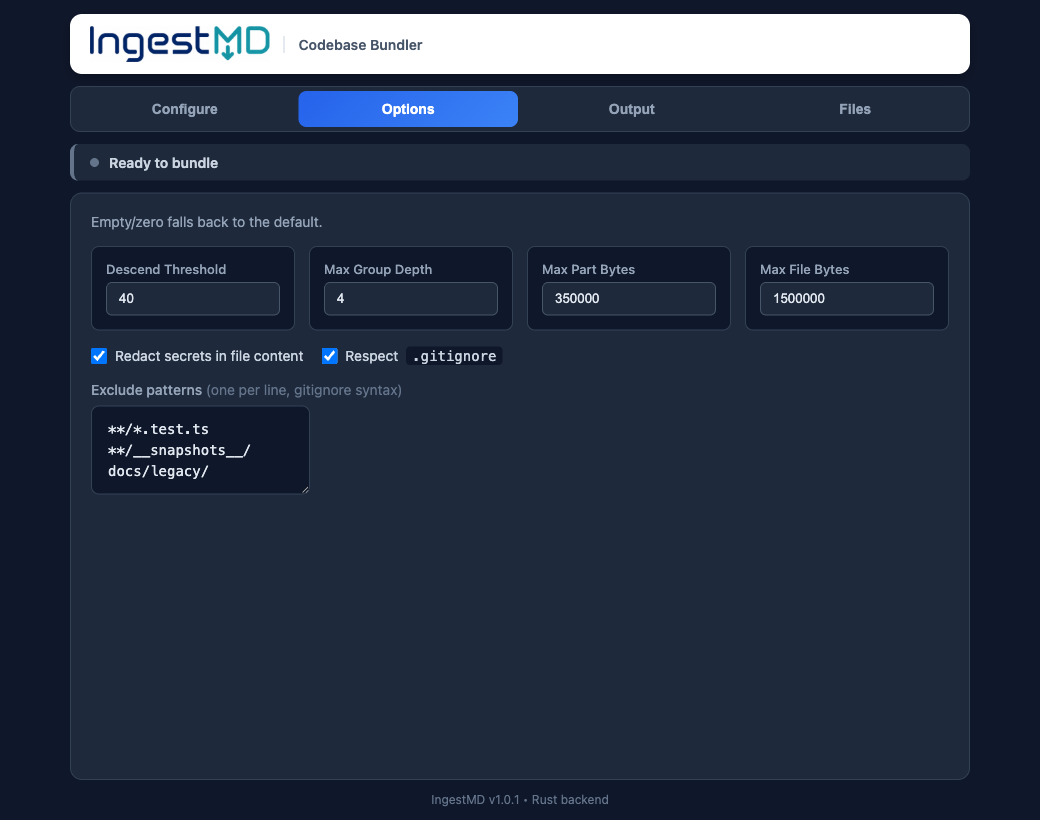
Toggle redaction and .gitignore, set grouping, add exclude globs.
One click. IngestMD scans once and writes clean Markdown.
Load the .md files into NotebookLM, ChatGPT, or Claude.
For AI clients
IngestMD ships an MCP server that exposes a
bundle tool over stdio. Point a client like Claude Desktop at it and load any local repo as
live context on demand, with the same scanning and secret redaction as the app.
{
  "mcpServers": {
    "ingestmd": {
      "command": "/path/to/ingestmd-mcp"
    }
  }
}
Get it
Free and open to download. Early builds are unsigned: on macOS, right-click the app then choose Open; on Windows, click "More info" then "Run anyway". All releases »